Article Clipping Without Hoarding
A Clean System for What to Save and Skip.

Clipping articles feels harmless, whether it's a digital link or a little scrap of paper in the pocket. One more for later.
Then later shows up with a crowbar. The reading list swells with digital links alongside newspaper clippings and magazine clutter, the tags turn into junk-drawer labels, and the search box starts to feel like a witness that won’t talk.
Article clipping can be simple again, a way to avoid hoarding articles. Not by finding the perfect app, but by making every clip earn its keep. A few rules. A hard cap. A habit that turns “someday” into “done”.
Start with limits, not tools (the inbox cap that stops hoarding)
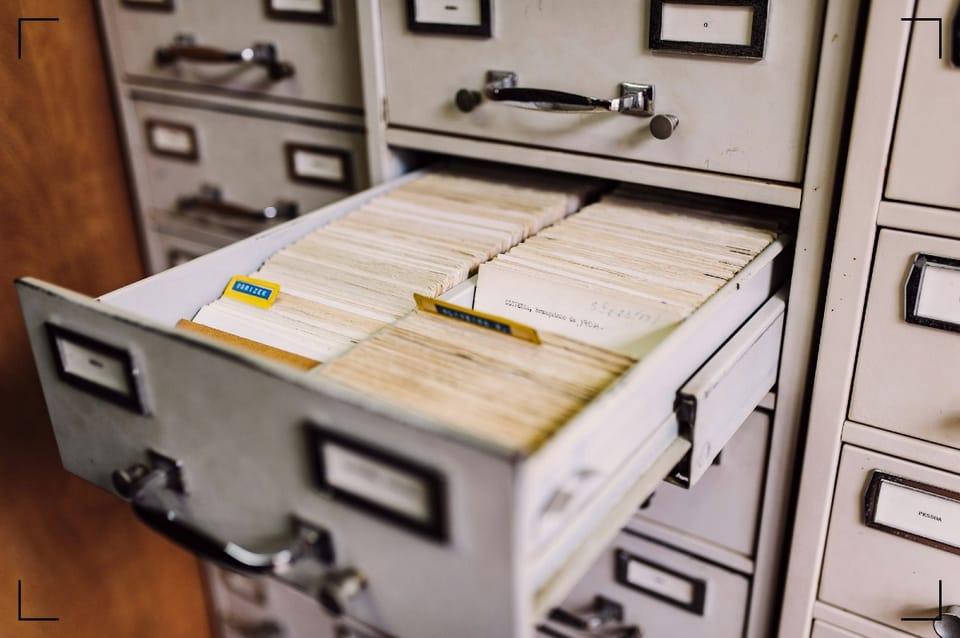
The best clipping system has an edge to it. It says no. It keeps the pile from becoming a landfill. For physical items, archival boxes help manage space while preventing clutter buildup.
A useful baseline cap for a read-it-later inbox, filing system, or magazine management is 50 items. Small enough to see. Big enough to breathe. If the inbox goes over 50, the rule is blunt: no new clips until it drops under the line.
A simple triage layer keeps it clean. Four labels. No poetry.
| Label | What it means | Time window |
|---|---|---|
| Read | Worth reading once | 7 days |
| Reference | Might be useful later | 90 days |
| Act | Requires a next step | 48 hours |
| Delete | Not needed | Now |
When the cap gets busted, the response isn’t guilt. It’s procedure, including recycling magazines for any physical overflow:
- Freeze clipping for 24 hours. The internet will survive.
- Delete 10 items fast using only headlines and first paragraphs.
- Convert 3 items into notes (not “save for later”, actual extraction; create digital copies for physical bulk).
- Schedule 2 items on a calendar if they truly matter.
Tools can help, but they can’t make choices. Instapaper still does the job for storing and reading. Readwise Reader is built for reading and highlights; a good look at that mindset appears in a piece on more conscious reading with Readwise Reader. Notion Web Clipper, Obsidian, DevonThink, and others are solid for turning clips into working notes. But these tools aren't bouncers, they're collectors.
Rules for What to Save and What to Skip
With One-Sentence Tests
Most hoarding starts with a lie: “This might be useful.” That is how closets fill up.
The fix is a tighter filter. A clip must pass at least one of these gates:
- Actionable: it changes what the reader will do.
- Hard to replace: it’s niche, technical, or personal.
- Worth re-reading: it holds up after the first hit of novelty.
Then it needs a one-sentence test. No exceptions. If they can’t write the sentence, they don’t get to keep the clip.
Here are practical rules for what to save and what to skip by type, plus the one-sentence test for each:
- News
Save when it affects a decision, a vote, a purchase, or a safety issue. Skip breaking updates and outrage loops.
One-sentence test: “I need this to decide or explain something by Friday.” - Think pieces and essays
Save when there’s a clear model, framework, or argument that can be reused. Skip mood pieces that only echo what they already believe.
One-sentence test: “This gives me a lens I’ll use again in my own writing.” - Recipes
Save only recipes that have been cooked, liked, and annotated. Skip aspirational bookmarking.
One-sentence test: “I will cook this in the next 14 days, and I know what I’ll serve it with.” - How-tos and tutorials
Save when it solves a problem they actually have, with steps they’ll follow. Skip vague guides and anything that’s already in official docs.
One-sentence test: “This will fix a task I’m doing this month, and I can name the task.” - Research papers and long reports
Save when it connects to a project, a claim they’ll cite, or a question they’re tracking. Skip anything saved “to be smart later.”
One-sentence test: “I will cite or summarize this for a specific note or project.” - Inspiration (photos, design, quotes)
Save only when it matches a current creative direction, such as clips you read and rip out or tear out pages to organize magazine ideas. Skip random “pretty.”
One-sentence test: “This belongs to the exact style I’m building right now.”
A final rule that hurts, but works: if it’s searchable in two words, it’s not a clip, it’s a search. Save only what the search won’t reliably return.
They’re dug up from the bone yard, pieced together in the dark when the rest of the world is asleep. They cost something to tell.
If you want to keep the lights on in this place, if these words are worth more to you than a cheap cup of coffee, then step up. Don’t just be a ghost passing through. Become a member. Keep the ink flowing.
Turn clips into usable notes
Summary + 3 bullets + next action
Clipping is not learning. It’s not even reading. It’s just hiding evidence in a drawer.
The cure is extraction. Short. Repeatable. A format that forces a decision.
Extraction format (paste this under every clip):
- Summary (2 sentences): What it says, what it means.
- 3 bullets: The three ideas worth keeping, written in their own words.
- Next action (one line): What will change because of this?
If there’s no next action, it becomes a reference with a 90-day fuse, or it gets deleted. Time is the real storage limit.
To highlight workflows, Readwise documents the practical aspects of importing web highlights into a system, including Reader and integrations, in its guide to capturing highlights from web articles. That matters because highlights without extraction are just brighter clutter.
A clean weekly rhythm keeps the pile from rotting:
- Daily (5 minutes): process anything labeled Act.
- Weekly (20 minutes): extract notes from 3 Read items, delete the rest.
- Monthly (30 minutes): purge Reference hard.
Purge script (questions that make deleting easy):
- “Would I pay $5 to keep this?”
- “Can I replace this in 60 seconds with a search?”
- “Did I already learn the lesson from it?”
- “Is it tied to a real project, with a deadline?”
- “If this disappeared, would I notice next week?”
- “Am I saving it to avoid doing the work?”
If the answer stings, good. That’s the system working.
The details vary, but the principle doesn’t: the clip is a doorway, not a room.
Conclusion
Keep fewer clips, keep better ones
Hoarding starts as hope and ends as noise. To avoid hoarding articles, a list that grows fangs.
A tight clipping articles practice is just three things: a cap that bites, a one-sentence test that forces honesty, and extraction that turns reading into change. The rest is decoration.