The "Case File" Folder Tree naming scheme
That survives Lightroom, Darktable, Mac, Windows and Linux.

They’re dug up from the bone yard, pieced together in the dark when the rest of the world is asleep. They cost something to tell.
If you want to keep the lights on in this place, if these words are worth more to you than a cheap cup of coffee, then step up. Don’t just be a ghost passing through. Become a member. Keep the ink flowing.
You’ve seen this movie before. The kind where your photo “system” looks fine, right up until you switch from Lightroom to Darktable, move everything to a new drive, or hand a folder to a friend and realize it doesn’t explain itself.
Catalogs get moody. Paths break. Previews vanish. Exports land in odd places. The work is still there, but the meaning is gone, like a witness who won’t talk without a lawyer.
The Case File Folder Tree helps you avoid relying on a single app’s memory. You set up a simple folder structure and a lean naming convention, so a project stays readable in Lightroom, Darktable, default Linux file managers, and anything else you throw at it.
A “Case File” is one self-contained project folder, built to travel and still make sense years later, even when you don’t remember the details.
You can adopt it today. No big migration. Start with your next shoot, or the last one that still stings.
What a “Case File Folder Tree” is, and why it beats app-only catalogs
A Case File Folder Tree is a promise you make to your future self. The folder tree is the truth. Catalogs are helpers. Useful, fast, sometimes even kind, but not the place you store the only map.
You build one case folder per project. Inside it, you keep a few standard subfolders with stable names. That’s it. The structure is small enough to remember, and strict enough to keep you from doing something you’ll regret at 2 a.m.
This beats an app-only workflow for one plain reason: app-only workflows fail in ways that look like your fault. You upgrade. You migrate. You switch tools. Suddenly, half your edits are “missing,” not because the pixels are left, but because the links are.
Catalog-only systems also scatter the evidence. Sidecars might be off. Exports may overwrite content you intended to keep. Your “finals” might live in an app-managed maze, sealed behind a database file you forgot to back up.
With the Case File approach, you get design goals that hold up under pressure:
- Portable: You can move a folder without disrupting the story.
- Human-readable: You can open it in Linux and understand it.
- Stable over time: The names still sort right in five years.
- Tool-agnostic: Lightroom and Darktable can be used interchangeably.
- Backup-friendly: A predictable tree plays nice with rsync, snapshots, and cloud sync.
You don’t stop using catalogs. You just stop worshipping them.
The rules that keep it lean and future-proof
The rules are simple because you’re busy, and because complexity is where rot starts.
Keep the folder depth shallow, no endless nesting. Use dates to sort, because dates don’t lie and they don’t change. If you rename files, do it once, early, and never again. Keep RAWs and exports separate, always. Store edits as sidecars (XMP) that travel with the files, not as secrets locked inside a database.
Keep names cross-platform safe. Stick to letters, numbers, hyphens, and underscores. Skip special characters, accents, and odd punctuation. They behave until they don’t, then they break on a NAS, on Windows, or in a syncing tool with a bad attitude.
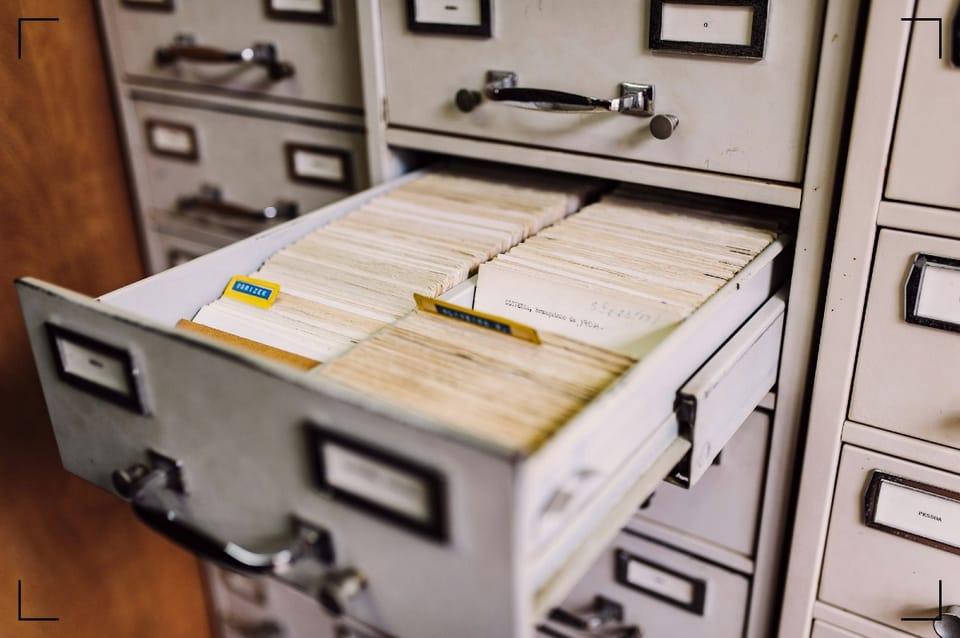
Also, don’t write novels in your filenames. A filename is a label of a folder in a filing cabinet. Short. Clean. Meant to survive handling.
What you do not store in the tree (on purpose)
You draw a hard line between what helps you and what owns you.
You don’t depend on Lightroom collections, Darktable tags, or a catalog database to explain what a folder contains. You can use those features, sure, but you never let them become the only narrative thread.
You don’t hide “final” images inside app-managed folders. You don’t store the only delivered JPEGs in an export preset path on your old laptop. You don’t mix three different projects in one dumping ground called “New Folder (7).”
The Case File Folder Tree doesn’t ban app features. It just refuses to let them be the only source of truth. If you open the case in a standard Linux file manager, it should still show what happened here.
The folder tree you can copy, and the naming scheme that makes it readable
A good folder tree feels like a clean desk. Not empty, not precious, just clear enough that you can find the thing you need without putting your hands through a drawer of loose batteries.
Your case folder name does most of the work. Make it sort well and explain itself at a glance. A strong pattern is:
YYYY-MM-DD_case-shortname
That date anchors the project in time. The short name tells you what it was, without poetry. You can add a client name or location if you need it, but keep it tight.
Inside the case, you use a small set of numbered folders. The numbers force a stable order in every file manager, including Linux, even when sorting gets picky.
| Folder | What it’s for |
|---|---|
00_INBOX | Card dumps and incoming files, untouched, until you verify the copy. |
10_RAW | Your original captures (RAW, JPEG originals, video originals). |
20_WORK (optional) | Round-trips, stitched files, layered TIFFs, edits that aren’t simple exports. |
30_EXPORTS | Output from Lightroom or Darktable (JPEG, TIFF), versioned by intent. |
40_DELIVERED | The final picks you actually hand off or publish. Clean and minimal. |
90_ADMIN | Notes, shot lists, releases, receipts, emails, anything that explains the job. |
99_TRASH (optional) | Obvious mistakes you might delete later, kept separate from the RAW folder. |
Multiple shoot days fit inside the same case without getting messy. You can add day folders inside 10_RAW if you need them, like 2026-01-12 and 2026-01-13, but don’t make a maze. Multiple cameras fit the same way, either by subfolder (A_CAM, B_CAM) or by filename camera code. Mixed media is fine. RAW stills and video originals can live together in 10_RAW if you keep names clean and don’t overwrite anything.
And yes, it works in plain Linux browsing. That’s the point. No catalog is required to understand what belongs where.
A practical tree for one case, from intake to export
Think of the case as a cardboard box with labeled envelopes. Each envelope has one job.
00_INBOX is where you copy cards first. No edits. No renames you’ll regret. Just intake. It’s the loading dock.
10_RAW is the vault. Originals live here, and they don’t get mixed with exports. If your camera shot JPEG only, those JPEG originals still belong here.
20_WORK is optional, but it saves you when you start doing “extra.” Panoramas. Focus stacks. PSDs. Layered TIFFs. Anything that isn’t just a straight export from a RAW.
30_EXPORTS is for outputs meant for review, web, prints, proofs. You can have subfolders by purpose if you need them (web_2048px, print_srgb, bw_tests), but keep it calm.
40_DELIVERED is the handoff folder. Only what you mean to share. If you send the case to someone else, this is where they go first.
90_ADMIN is the difference between “I think I remember” and “here’s what happened.” Put a text file with notes. Put releases. Put the invoice. Future-you will not recall the details. Future-you will need them.
99_TRASH is a holding cell. It’s where obvious mistakes can sit until you’re ready to delete for real.
Lean file names that sort right and survive renames
A file name is a fingerprint. It should identify the image without trying to describe your soul.
A practical pattern looks like this:
YYYY-MM-DD_case-shortname_sequence_camera.ext
Example shape: 2026-01-12_winter-portraits_0042_A.RAF
- Date: helps you sort without thinking.
- Case short name: ties the file back to its folder if it gets separated.
- Sequence: keeps order when timestamps drift or cameras disagree.
- Camera code: prevents collisions when two bodies both shoot
DSC_0001. - Extension: stays as-is, because tools need it.
You’ve got two sane options:
- Keep camera file names and rely on folders to carry meaning. This is the least risky path when you already have a system.
- Rename on import using a stable pattern, then never change names again. Not after editing, not after culling, not after exporting.
If you shoot with multiple cameras, the camera code is the quiet hero. A, B, C is enough. Don’t turn it into a dissertation.
And don’t cram keywords into the filename. That’s how you end up with final_FINAL_reallyfinal_sunset_best.jpg and a headache you deserve.
How to use the same tree in Lightroom, Darktable, and Linux
The workflow doesn’t need brand loyalty. It needs consistency.
In Lightroom, you can point the catalog at the case folder. In Darktable, you can import the same folder. In Linux, you can open it with a file manager and still see the same structure. The case doesn’t care who’s viewing it.
Your steps stay boring on purpose: import, cull, edit, export, archive. Each step has a corresponding folder, so you don’t improvise at the worst possible time.
The key is edits. You want edits that can travel. That means sidecars (XMP) when possible, written next to the RAWs, or stored in a predictable work area that you back up with the case. If your edits exist only inside a database file, you’ve built a trap with nice UI.
Import and cull without painting yourself into a corner
You start at the loading dock.
Copy your cards into 00_INBOX. Don’t edit from the card. Don’t import straight into a deep folder you’ll forget. Keep intake separate so you can verify before you commit.
Verification can be simple. Check file counts. Spot check a few images and clips. If you like checksums, fine, but don’t turn safety into a hobby you never finish. The point is to confirm the copy is real.
Once you trust the copy, move the originals from 00_INBOX to 10_RAW. Now the case has a spine. It can now be backed up in a single sweep.
Culling can happen in your app, with flags, stars, color labels, all the usual. But your physical folder choices still matter. If you want to keep rejects for a while, move them to 99_TRASH. If you don’t need that, skip it and delete it when you’re sure.
The quiet win is this: even if you never open the catalog again, the folder names still tell you what to do, and what you already did.
Edits, sidecars, and exports that stay attached to the case
Edits are either portable or rumors.
In Lightroom, you can set it to write XMP (sidecar files) so adjustments can travel with the RAWs. In Darktable, XMP sidecars are a normal part of the deal. Either way, keep the sidecars with the RAWs, so when the case moves, the edits move too.
If you do heavy round-trips, send those results to 20_WORK. Keep them named so they point back to the original, but don’t overwrite the original. Overwriting is how you destroy evidence.
Exports go to 30_EXPORTS. Make that a hard rule. Exports don’t belong in 10_RAW. When exports mix with originals, you start deleting the wrong things, and you won’t notice until it hurts.
When you’re ready to share or publish, copy only the best outputs into 40_DELIVERED. Keep it clean. No outtakes. No test renders. No “maybe.”
This is also where Linux tools shine. A predictable structure works with rsync. It works with snapshots. It works with cloud sync. It works when you’re tired and trying to recover from past decisions.
Keeping it fast over the years
Backups, moves, and common mistakes
Time is the real tool switcher. You might love Lightroom today. You might swear by Darktable next year. In five years, you might just want the files to open.
The Case File Folder Tree makes moving easy by allowing you to move one folder per project. It makes backups sane because you can back up the case as a unit. It makes merging libraries less ugly because each case is already separated, labeled, and self-contained.
Drive migrations stop being a ritual. You copy cases. You verify. You keep names stable. Your catalogs can be rebuilt or re-linked because the folder truth didn’t change.
What breaks portability is almost always the same handful of mistakes. The kind you make when you’re rushing, or when you think you’ll remember later.
You won’t.
A simple archive checklist you can run every time
Before you mark a case as “done,” run a brief check. Not because you’re paranoid, but because you’re human.
- RAWs are in
10_RAW, and00_INBOXis empty (or deleted). - Sidecars are present (XMP next to RAWs, or your chosen method is backed up with the case).
- Exports are in
30_EXPORTS, and none live in the RAW folder. - Final picks are in
40_DELIVERED, with only what you’d hand to someone else. - Notes and paperwork are in
90_ADMIN, including a simple text note if needed. - The case opens cleanly in a file manager, and the story makes sense without an app.
- You have at least one offline backup, and the case folder name is stable.
That last part matters. If you keep renaming the case folder, you keep breaking links in any catalog that points at it.
Mistakes that make your library fragile
Fragile libraries don’t explode right away. They sag. They slip. Then one day they fall apart in your hands.
- Renaming folders after editing: Your quick fix is to pick a case name early and keep it. If you must rename, do it once, then relink in your app immediately.
- Storing meaning only in catalogs: Write XMP sidecars when you can, and keep a short note in
90_ADMINfor anything the app won’t remember. - Mixing projects in one folder: Split them into separate cases, even if they share a date. A case should answer, “what job is this?”
- Exporting finals back into RAW folders: Lock yourself into
30_EXPORTSand40_DELIVERED. This one rule prevents a lot of pain. - Using special characters in names: Keep to letters, numbers, underscores, hyphens. Your future NAS will thank you.
- Relying on “latest” folders instead of dates: Use dates in case names and filenames. “Latest” becomes a lie the moment you import something old.
These fixes aren’t glamorous. They’re just clean habits. The kind that keeps you out of trouble.
Conclusion
The Case File Folder Tree provides a backbone for your photos. Your folder tree stays readable in Lightroom, Darktable, and Linux, because it doesn’t need a database to explain itself. Catalogs stay useful, but they stop being a single point of failure. Each case can move, back up, and survive you.
Pick one recent shoot. Build one case folder. Import it into your tool of choice, then open the same case in a plain file manager and see if it still makes sense. If it does, you’ve got something rare in photo organization: a system that doesn’t let you down later.